
Introduction
This step-by-step guide will guide you mass programm DCP48M using a Modbus connection using a Windows PC using a USB-to-RS485 adapter. By following this tutorial, you’ll learn how to wire the hardware, configure the Modbus communication, and troubleshoot common issues.
Required Material
To complete this tutorial, you’ll need:
- DCP48M (DC-DC converter)
- Windows PC
- USB-to-RS485 adapter (referred to as USB2ModBus-Tool in this guide). For this tutorial we use the Waveshare’s FTDI USB-to RS485 tool.
Hardware: Wiring the DCP48M to the USB2ModBus Tool
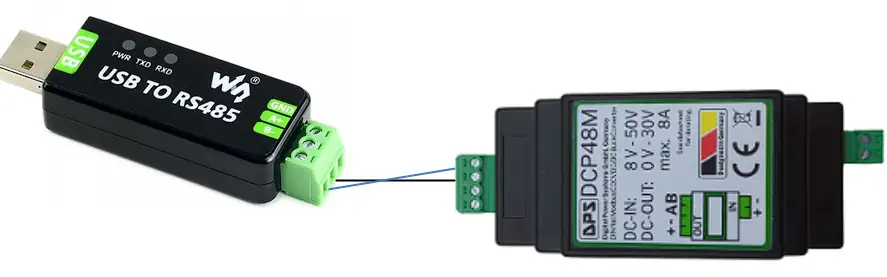
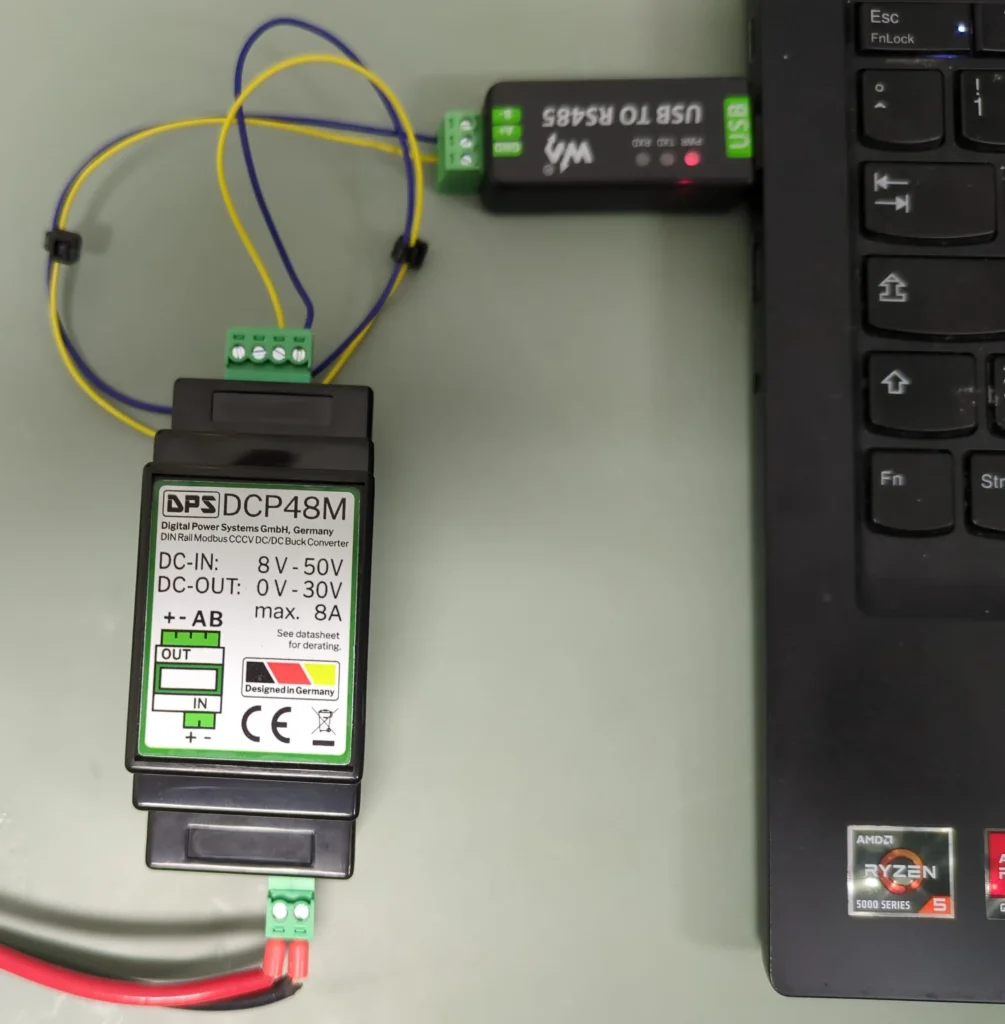
Connecting the hardware is straightforward. Begin by linking the DCP48M to the USB2ModBus-Tool, ensuring that terminal A is connected to A and terminal B to B. Please refer also to the image above.
RS485 communication does not strictly require a ground connection, but if you prefer to add one, we recommend using the “-” terminal from the power input, which is located on the two-pin connector. Do not use the 4 pin connector, as this might compromise the DCP48M’s current regulation!
If you feel unable to build the programming kit yourself, it can also be obtained from DPS at a premium price. Please contact DPS via the contact form, in the page bottom.
Installing python under windows
Luckely, windows installs python itself
- Download the script
- Unzip it to obtain the python script in the file explorer
- Right click in the file explorer and open a terminal
- Install the requirements: python -m pip install pymodbus pyserial
- Verify insallation:
- python -c “import pymodbus; print(pymodbus.version)
- It should print the pymodbus version if successfull
- Modify the configuration section at the top
- Setup the correct COM port
- To execute the script, call it over the shell using” python.exe modbus_massprogramming.py”
- Troubleshooting
- For troubleshooting please have a look at the file
Setting up the parameters to program
In the script you will find a section with all DCP48M’s parameters. Uncomment those you want to change.
Make sure you have ENABLE_SAVE_PARAMETERS = TRUE at the top of the script to save the parameters.
The script also allows to modify the DCP48M to have a hardware control pin. This feature is available at PCB Version 5 and higher. When this pin is activated, the modbus will be disabled and replaced with a hardware pin. Please check with the datasheet for further information.